McAfee Secure sites help keep you safe from identity theft, credit card fraud, spyware, spam, viruses and online scams
SHOPPING CART ORDER STATUS QUICK REORDER
Animal Organizations Environmental Organizations Social Organizations Other Check and Label Designs Accessories Check Crafters - Business Checks


 Questions?
  1-800-243-2565

  Customer Service
FAQs
Pricing
Shipping Rates and Options
Delivery Point Validation
Privacy Policy
About Message
Take our Survey
Contact Us

  Order Information
How to Order
Check Order Status
How to Use Quick Reorder
Banking Information

  Product Information
Product Options
Product Personalization
About Product Preview
Anatomy of a Check
Check Formats
Request a FREE Brochure

  Affinity Program
Join the Program!

  Special Offers
Value Pack Promotion


Click here to find out if you qualify for our First Time Buyer pricing.

Customer Service > Anatomy of a Check

Anatomy of a Check

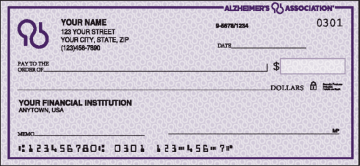
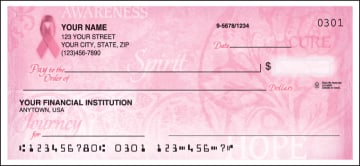
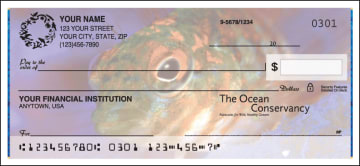
The diagram below highlights specific check components. Move your mouse over any area of the check for a description of each component.

Personalization
There are 5 lines available for the personalization of your checks. This information typically includes your name and address and optional information such as your phone number or driver's license number.
Bank Information
Your bank information must be printed on your checks. The bank name is required, but you may also need to include your bank's address. Refer to your existing checks to determine what information should be included here.
Symbol / Monogram area
If the design of your check allows, you may select an optional symbol or monogram to appear to the left of your personalization
Over Signature Text Area
If the design of your check allows for it, you may include a personal message in the over signature area on your checks.
Routing Number
The first number in the MICR line at the bottom of your check is your bank's routing number. It is 9 digits long and always starts with 0, 1, 2 or 3.
Account Number
Your account number may appear before or after your check number in your check's MICR line.
Check Number
The sequential number for your checks appears in both the MICR line at the bottom of your checks and the upper right corner of your checks. This number allows you to keep track of the checks you write.
Signature Line
The account owner endorses the signature line on a check to authorize its use.
Pay To Line
The "Pay To" line is where you identify the person/business to whom the check is written.
Dollars Box
The "Dollars" box is where you write the numeric amount of the check. It is written out additionally on the amount line, which is below the "Pay To" line on the check.
Amount Line
This line is provided for you to write out the amount of your check.
Fraction
The fraction on your check is used to identify your bank.
Padlock Icon
This icon references security features which have been included on your checks to help your bank identify check fraud. These features are described on the back of your checks.
Click to see Direct Marketing Association's Privacy Promise Click to see Check Payment Systems Association's website Click to verify BBB accreditation and to see a BBB report. BBB Torch Award Winner for Business Ethics

Home| Animal Organizations| Environmental Organizations| Social Organizations| Other Designs
Accessories| Business Checks| How To Order| Prices| FAQs| Free Brochure| Affiliate Program
Security| Privacy| Take Our Survey| Customer Service| Site Map

© 2009 Message!Products®
P. O. Box 700 • Edgewood, MD 21040-0700 • 1-800-243-2565
The views expressed by the organizations listed on this website are not necessarily the views held by
Message!Products, our staff or management.